Brilliant: Learn Math & Coding
- 4.5
- Rating
- 5.00M
- Installs
- Free
- Price

 Analysis by App-foxy
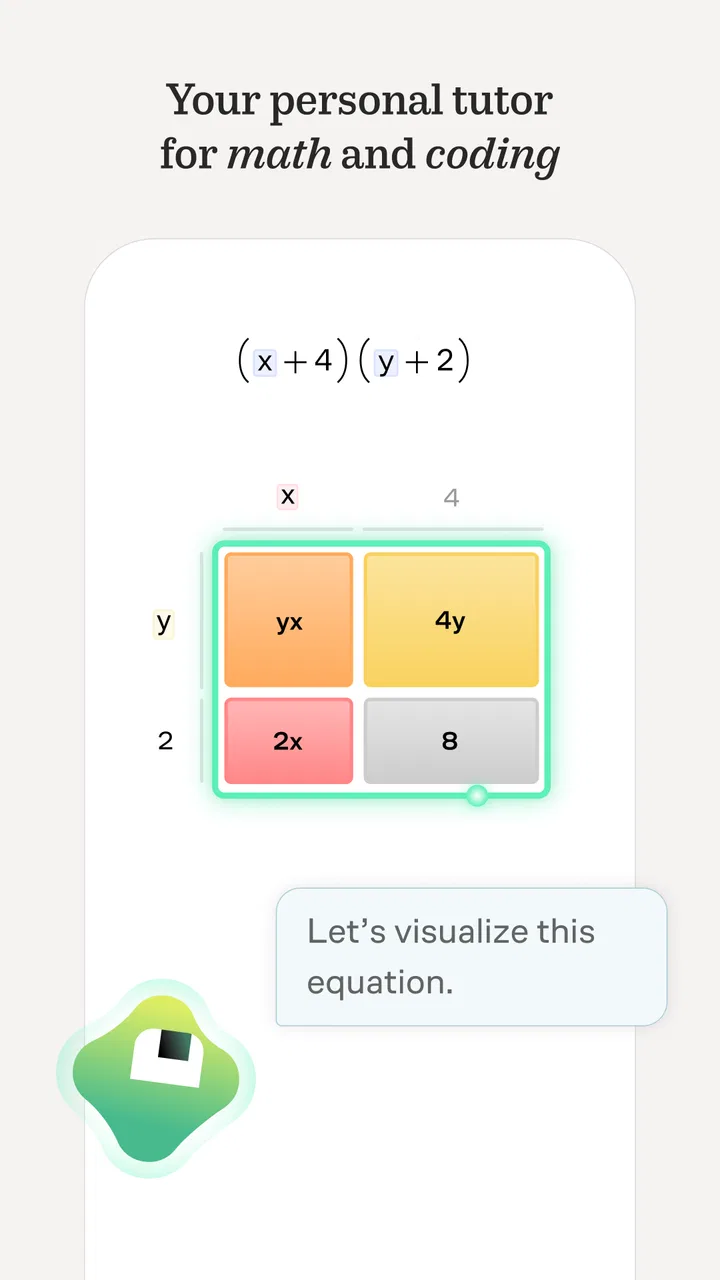
I approached Brilliant: Learn by doing as the kind of education app that has to prove more than its first impression. Many learning tools feel exciting for a few days, then become another icon I stop opening. Brilliant makes a strong early case because it turns mathematics, science, and coding into short interactive problems rather than long pages of explanation. I found myself doing more than reading: I had to predict, test, adjust, and understand why an answer worked.
That hands-on style is the central reason I would recommend it to a friend who wants to keep their mind active. It is an education app from Brilliant.org, available for free with optional in-app purchases ranging from $0.99 to $249.48 per item. The app is rated for Everyone, and its broad audience is reflected in its popularity: it has an average rating of 4.5 from around 106 thousand ratings, with more than 5 million installs. Those figures do not replace personal experience, but they do suggest that the format has found a substantial audience.
Why the first week feels unusually engaging
The first sessions are appealing because Brilliant avoids making learning feel like a test you have already failed. Instead of placing a large block of theory in front of me, it generally leads me toward an idea through a sequence of questions. I can make a guess, see the result, and use that feedback to refine my thinking. That small loop is more inviting than opening a conventional textbook and wondering where to begin.
You May Also Like

 Blood Strike: 2.5 Anniversary
Blood Strike’s Loadouts Turn Every Drop Into a Tactical Gamble
A close look at Blood Strike’s custom loadouts: how fast access to signature weapons reshapes its battle royale rhythm, rewards preparation, and narrows the gap between fights.

 Pandora - Music & Podcasts
Pandora’s Music Is Easy to Start, but Harder to Recover
Pandora’s strength is its low-effort path from a seed to a station. Its weak spot is how much confidence it asks you to place in connection, setup, and quiet recovery.

 8 Ball Pool
 Is Built on Rivalries, Rematches, and Routine
A close look at the rivalries, rematches, shared routines, and unanswered safety questions that turn a quick pool match into a persistent mobile community.

 Samsung Music
’s Quiet Strength Is Playing What You Already Own
Its reach comes less from spectacle than from dependable access to a personal library. That simplicity is both the app’s strongest retention engine and its ceiling.

 AccuWeather: Weather Radar
AccuWeather Review: A Quick, Clear Forecast for Everyday Decisions
For everyday plans, the best forecast is the one you can understand quickly. AccuWeather makes rain timing, radar, and local conditions easy to act on, with a few trade-offs.

 Hill Climb Racing
Why Hill Climb Racing Still Turns Crashes Into One More Run
A tiny car, a bumpy hill and one more upgrade: Hill Climb Racing keeps resurfacing because its simple chaos makes every near-miss feel personal.
More From Our News Desk



I especially like the way interactive problem solving changes the role of mistakes. In a typical worksheet, a wrong answer may simply be marked wrong. Here, the act of answering becomes part of the explanation. I am encouraged to notice a pattern or rethink an assumption, which makes the lesson feel closer to a guided conversation than a pile of exercises.
This works well for someone returning to mathematics after a long break. I do not need to remember every formula before starting, and I can approach a problem with curiosity rather than worrying about producing a perfect solution immediately. The same quality helps learners who understand concepts visually or logically but become bored by memorization.
The coding material benefits from the same approach. Rather than treating programming as a vocabulary quiz, the app makes the learner reason through what a piece of logic should do. That is useful for beginners who need to understand the structure behind code, not merely copy syntax. I would still use a full development environment for building real software, but Brilliant is a friendlier place to develop the mental habits that come first.
A realistic first-week routine might be a short lesson during a commute, after breakfast, or before bed. The important point is not to reserve it for a large study block. I got more value by treating one lesson as a small appointment than by waiting for an hour of uninterrupted concentration. Its interactive format suits those moments when I have enough attention to think but not enough time to organize a course from scratch.
The app also makes a useful alternative to passive educational content. Watching a video about probability can create the feeling that I understand the subject, while an interactive question exposes whether I can actually use the idea. Brilliant is better than video-first learning when I want immediate participation. On the other hand, a video or textbook remains better when I need a broad historical explanation, a formal derivation, or a reference I can scan quickly.
Who gets the most from the early experience
I think the strongest match is a curious learner who enjoys puzzles and wants structure without returning to a classroom. It can suit a student looking for extra practice, an adult rebuilding confidence in mathematics, or a programmer who wants to sharpen problem-solving habits outside work. The app is also approachable for families because its content rating is Everyone, although the right difficulty will still depend on the individual learner.
It is less suitable for someone who wants a complete academic curriculum with formal grading, teacher feedback, or a credential. It is also not my first choice for urgent exam preparation when I need a syllabus mapped precisely to a particular test. Brilliant can strengthen understanding, but it should not be mistaken for a replacement for every textbook, instructor, or practice bank.
What remains useful after the novelty fades
The real question is whether the app continues to earn attention after the interactive presentation becomes familiar. In my experience, its lasting value comes from the quality of the thinking it encourages. A good lesson does not only deliver an answer; it gives me a mental model I can reuse in another situation. That is more durable than collecting completed screens.
Month to month, I would use Brilliant in three different ways. First, I would follow a planned course when I want continuity. Second, I would dip into individual lessons when I have a narrow interest or limited time. Third, I would return to an earlier concept when I notice that a more advanced problem exposes a gap. This flexibility matters because a learning habit rarely stays identical from one week to the next.
One practical workflow is to keep a small note outside the app with ideas that caused trouble. I might write down a mistaken assumption, a useful visual pattern, or a question I could not answer confidently. When I return later, I can use that note to choose a lesson instead of opening the app without a purpose. This turns Brilliant from a stream of clever puzzles into part of a personal study system.
Another useful habit is to pause before revealing help. The guided format makes it tempting to tap through an explanation as soon as a problem becomes uncomfortable. I get more from the lesson when I first state, even privately, what I think the answer should be and why. That extra moment makes the feedback meaningful. If I simply chase completion, the app can become a polished form of guessing.
I also found that the app works best when I alternate challenge and consolidation. A difficult lesson can be satisfying, but several demanding sessions in a row may leave me remembering the frustration more than the concept. Revisiting an easier topic afterward helps maintain momentum. This is a small but important distinction: long-term learning depends less on constantly choosing the hardest available material than on returning often enough to ideas that deserve another look.
Compared with flashcard apps, Brilliant is less focused on rapid recall and more focused on reasoning. Flashcards are better when I need to memorize vocabulary, formulas, or facts with high repetition. Compared with massive open online courses, Brilliant feels more compact and interactive, but it may not provide the same depth of lectures, assignments, or specialist coverage. Compared with puzzle games, it offers more educational direction, though the learning can feel less relaxing because I am expected to think carefully rather than simply play.
How to decide whether a subscription is worthwhile
The free entry point makes it possible to judge the teaching style before committing money. I would not decide based on the first attractive lesson alone. I would first check whether I can maintain a regular rhythm, whether the available subjects match my goals, and whether I am using the explanations actively rather than tapping through them. The optional purchases make sense only if the app has become part of a routine I genuinely expect to continue.
This is also where expectations matter. Brilliant is not a one-time reference book that I buy, search, and put away. Its value is cumulative: the benefit grows when I return and connect ideas. If I only open it during occasional bursts of enthusiasm, the purchase may feel harder to justify. If I use it as a dependable source of short, demanding study sessions, the recurring access can be more reasonable.
The maintenance burden of keeping it in a routine
Brilliant is easier to start than to maintain. The lessons are inviting, but the app cannot create a lasting habit on my behalf. I still need to choose a time, protect it from distractions, and accept that progress may sometimes feel slow. That is not a flaw unique to this product, but it is worth recognizing before treating an educational app as a shortcut.
I would keep the routine modest. A realistic target is one focused lesson or one meaningful problem-solving session, not an ambitious promise to complete a large course every day. The app rewards attention, so rushing through several lessons can produce less understanding than taking one lesson seriously. A small schedule also makes it easier to resume after missing a day.
There is a maintenance advantage in the variety of subjects. If mathematics feels tiring, coding or another scientific topic may provide a different kind of challenge. That variety can prevent the app from becoming associated with one narrow school-like obligation. Still, variety can also scatter attention. I recommend choosing one main path and keeping other topics as occasional changes of pace.
For parents or learners sharing a device, the main practical question is not whether the content is approachable but whether the difficulty fits the person using it. A younger learner may enjoy the puzzles but need help discussing an unfamiliar idea. An adult may understand the concept yet need a gentler progression. I would sample lessons together at first and pay attention to whether the learner is explaining their reasoning or merely selecting answers.
The current version is 9.25.0, and the app has been available since March 21, 2014. That long presence gives it the feel of an established learning product rather than a short-lived experiment. For Android users, the listed minimum operating system is 7.1, which makes it accessible on a wide range of devices. I would still keep the app updated when possible, especially if interactive content is central to the experience.
Where fatigue begins and how to avoid it
The same guided interaction that makes Brilliant approachable can eventually feel repetitive. If every session follows a similar rhythm of prompt, answer, hint, and explanation, I may begin to focus on the interface rather than the subject. The solution is not to force longer sessions. It is to vary how I use the material: sometimes solve carefully, sometimes review an idea, and sometimes stop after a single problem worth thinking about.
Another source of fatigue is the gap between entertainment and mastery. A clever question can feel satisfying even when I have not learned enough to solve a related problem independently. I would therefore judge progress by whether I can explain the idea afterward or apply it without immediate guidance. If I cannot, I would revisit the lesson rather than assuming completion equals competence.
Some learners may also find the app too indirect. The guided approach is excellent for discovery, but there are moments when I want a direct definition, a complete worked example, or a clear reference page. In those cases, a textbook or lecture may be more efficient. Brilliant is strongest when I am willing to wrestle with an idea; it is less efficient when I simply need to look something up.
Difficulty can create a different kind of friction. A problem that is slightly beyond my current ability can be motivating, while one that depends on several missing foundations can feel opaque. When that happens, I would step back to an earlier lesson instead of repeatedly guessing. The app is most rewarding when the challenge is close enough to reach with thought, not when I am missing the entire ladder leading to it.
There is also a risk of using the app as a productivity badge. Completing a lesson can look like progress in a tracking system, but the lasting benefit comes from understanding. I would rather finish fewer lessons and remember their central ideas than maintain a long streak built on hurried taps. That mindset is particularly important for users who are prone to turning every hobby into another performance metric.
When another learning tool is the better choice
I would choose a conventional course over Brilliant when I need a formal sequence tied to a school or professional qualification. I would choose a coding platform with a full editor when my immediate goal is to build, test, and deploy a project. I would choose spaced-repetition software when memorizing facts is the main task. I would choose a long-form book when I want uninterrupted depth and the ability to move backward and forward through a complete argument.
That does not make Brilliant secondary in every situation. It occupies a useful middle ground between passive explanation and demanding project work. It can help me discover which areas I want to study more deeply, expose weak reasoning before I tackle a larger course, and keep mathematical thinking present during periods when I am not enrolled in formal education.
My long-term verdict
I would keep Brilliant installed because its best lessons provide a type of practice that is difficult to replace with ordinary scrolling, videos, or simple quizzes. The app makes me participate in the idea, and that participation is where much of its educational value lies. It is particularly good for rebuilding a regular relationship with mathematics, science, and coding without making every session feel like homework.
My recommendation comes with a condition: use it as a thinking practice, not as a completion machine. Set a manageable rhythm, pause before hints, keep notes about recurring mistakes, and return to concepts that still feel uncertain. Those habits make the difference between a brief burst of novelty and a tool that remains useful month after month.
I would skip it if I need formal certification, a teacher who can respond to personal questions, or a complete exam-specific program. I would also skip it if interactive puzzles are not appealing and I prefer straightforward explanations. For everyone else, the free starting point makes the decision relatively easy: try the style, notice whether the questions make you think, and only then consider the optional purchases.
Overall, Brilliant earns lasting space when I treat it as a compact, guided workout for reasoning. It does not replace every educational resource, and its format can become tiring when used mechanically. But when I return with a clear goal and enough patience to work through uncertainty, it gives me something valuable: not just information, but repeated practice in figuring things out for myself.
FAQs for Brilliant: Learn Math & Coding
01What is Brilliant: Learn by Doing?
Brilliant: Learn by Doing is an interactive learning platform designed to boost your problem-solving skills in math, science, and computer science. Through engaging exercises and hands-on lessons, users can explore concepts at their own pace. It's ideal for students, educators, and anyone looking to expand their knowledge in these fields.
02Is Brilliant suitable for all age groups?
Yes, Brilliant offers content tailored for a wide range of age groups and skill levels. Whether you're a student in middle school, a professional looking to brush up on certain topics, or an adult learner seeking new challenges, Brilliant provides courses that cater to various learning needs and preferences.
03Does Brilliant require a subscription?
Brilliant offers a range of subscription options. While some introductory courses and exercises are available for free, accessing the complete library of courses and premium features requires a paid subscription. Users can choose between monthly and annual plans, with the latter offering more savings.
04Can I use Brilliant offline?
Currently, Brilliant requires an internet connection to access its full range of interactive lessons and features. However, the app is optimized for both desktop and mobile devices, allowing you to learn on the go wherever you have connectivity. Offline capabilities may be limited to certain features.
05How does Brilliant enhance learning compared to traditional methods?
Brilliant enhances learning by offering a hands-on, interactive approach. Unlike traditional methods that rely heavily on lectures and passive learning, Brilliant encourages active engagement through problem-solving and real-world scenarios. This method not only makes learning more enjoyable but also helps reinforce understanding and retention of complex concepts.
Pros
- Interactive lessons enhance learning.
- Wide range of topics covered.
- User-friendly interface.
- Offline access available.
- Daily challenges boost engagement.
Cons
- Requires a subscription for full access.
- Limited free content available.
- No personalized learning paths.
- Requires internet for some features.
- Not suitable for absolute beginners.

Brilliant: Learn Math & Coding
Gallery